



Current-store assessment
Identify which content, templates and interactions should be retained, improved or retired.
Rework navigation, product discovery, merchandising and conversion while preserving the content and systems that still serve the business.
A Shopify redesign changes more than the appearance of individual screens. We examine navigation, product education and the content model while identifying what already works. The implementation then follows a transition plan that accounts for search landing pages, integrations and the people maintaining the store.
Identify which content, templates and interactions should be retained, improved or retired.
Define the navigation, page hierarchy and product information needed to address observed customer friction.
Build approved templates in preview while preserving agreed integration and merchant workflows.
Compare important URLs, content, tracking and purchase journeys before the redesigned experience replaces the current one.
A store can have recognizable branding and useful product URLs while its navigation and product templates make buying difficult. A redesign should identify the journeys that need change without discarding working integrations or valuable content.
For example, retain useful collection URLs while revising the navigation and product page hierarchy. Review the proposed layouts with a long product name, multiple variants and delivery information. Ask a merchant to update the content in preview, then compare the same shopping task in the current and redesigned store before approving the transition.
Create a retain, revise and replace list for the existing pages and components. For each revised journey, record the original problem and the expected behavior in the preview. Keep an inventory of changed links and redirects, and identify which apps require another review when the redesigned theme is released.
Illustrative scenario for scoping the work, not a reported client result.See real storefront views from the selected Shopify projects. Open each case study for the documented scope and more detail.

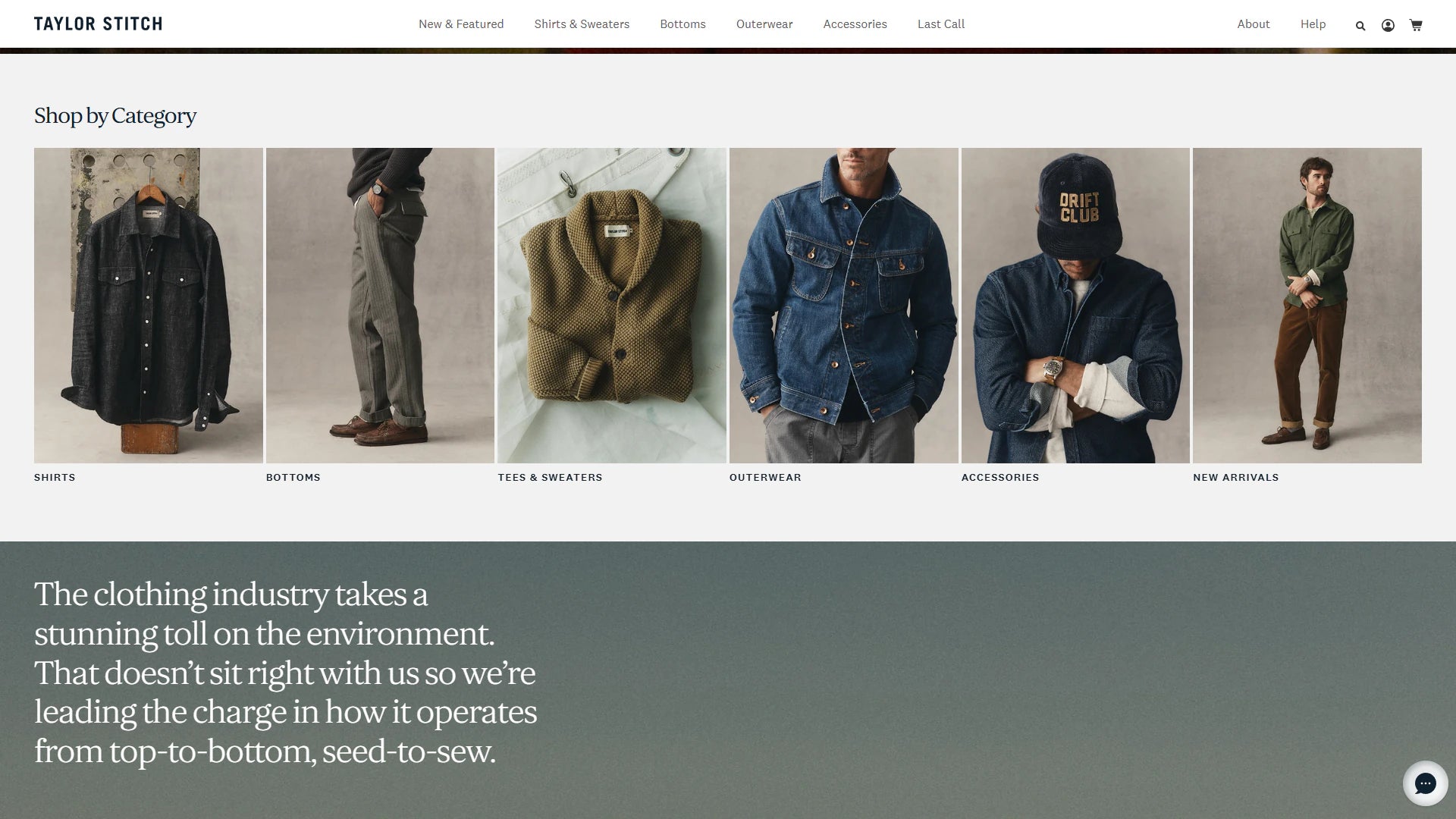
Editorial product education and catalogue presentation on a verified Shopify project.
View project
A detailed product journey from a verified Shopify storefront, shown as visual context rather than a claimed result.
View project
Review important templates, content and apps before approving a new visual direction. Record useful URLs, customer evidence and recurring merchant tasks so the redesign brief distinguishes working elements from genuine problems.
Check that the redesign resolves the named friction without losing necessary information. Use representative products to test discovery, variant selection and cart updates on mobile and desktop, then review content editing with your team.
Review SEO dependencies, merchant training and the release checklist together. Confirm redirects, app behavior, launch ownership and a recovery plan before release; record follow-up tasks for the agreed support period.
These examples are selected for relevant Shopify work and visual context. They do not imply a numerical result that has not been verified.
“Vivek supported us with our homepage and product pages, offering clear direction and smart, data-driven improvements.”
MycoPro Global / Shopify Partner
Read verified reviewsFor a store redesign, a defined template list and approved content can support a fixed scope. If the priorities are still uncertain, start with discovery or a focused store audit before committing to a full rebuild.
Compare engagement modelsNo. Keeping useful URLs can simplify the transition. Any necessary URL changes need mapping, redirects where supported and an update to internal links.
Sometimes. Shared navigation, styles and product components create dependencies, so the scope must identify which changes can coexist safely with the current experience.
Existing customer evidence, operational usefulness and technical condition guide the decision. A redesign should preserve content and behavior that still serve the business rather than replace them solely for visual novelty.
Often, yes. We first review the theme structure, editing controls and app dependencies. A focused customization may be enough; a new theme is considered when the existing foundation cannot support the agreed experience reliably.
Inventory important landing pages, retain useful URLs and map any necessary changes. Review headings, metadata, internal links and redirects before release, then monitor indexing and search performance afterward. A redesign cannot guarantee unchanged rankings.
The scope identifies which apps and connections remain, change or need replacement. Test their storefront blocks, data flows and customer interactions in preview, including reviews, subscriptions and tracking where relevant.
The number of templates, custom interactions, content readiness and integration dependencies shape the estimate. Agree the first release, review milestones and client responsibilities before development begins; additional requests are assessed separately.
Handover covers merchant editing, configuration notes and outstanding tasks. Agree the post-launch review and support scope in the proposal, including who handles reported defects, app updates and future improvements.
Tell us where you want to take your Shopify business. Vivek will review your goals and discuss a practical way forward.
Paid projects, development hours and ongoing support. Scope and cost are agreed before work starts. Explore working options.