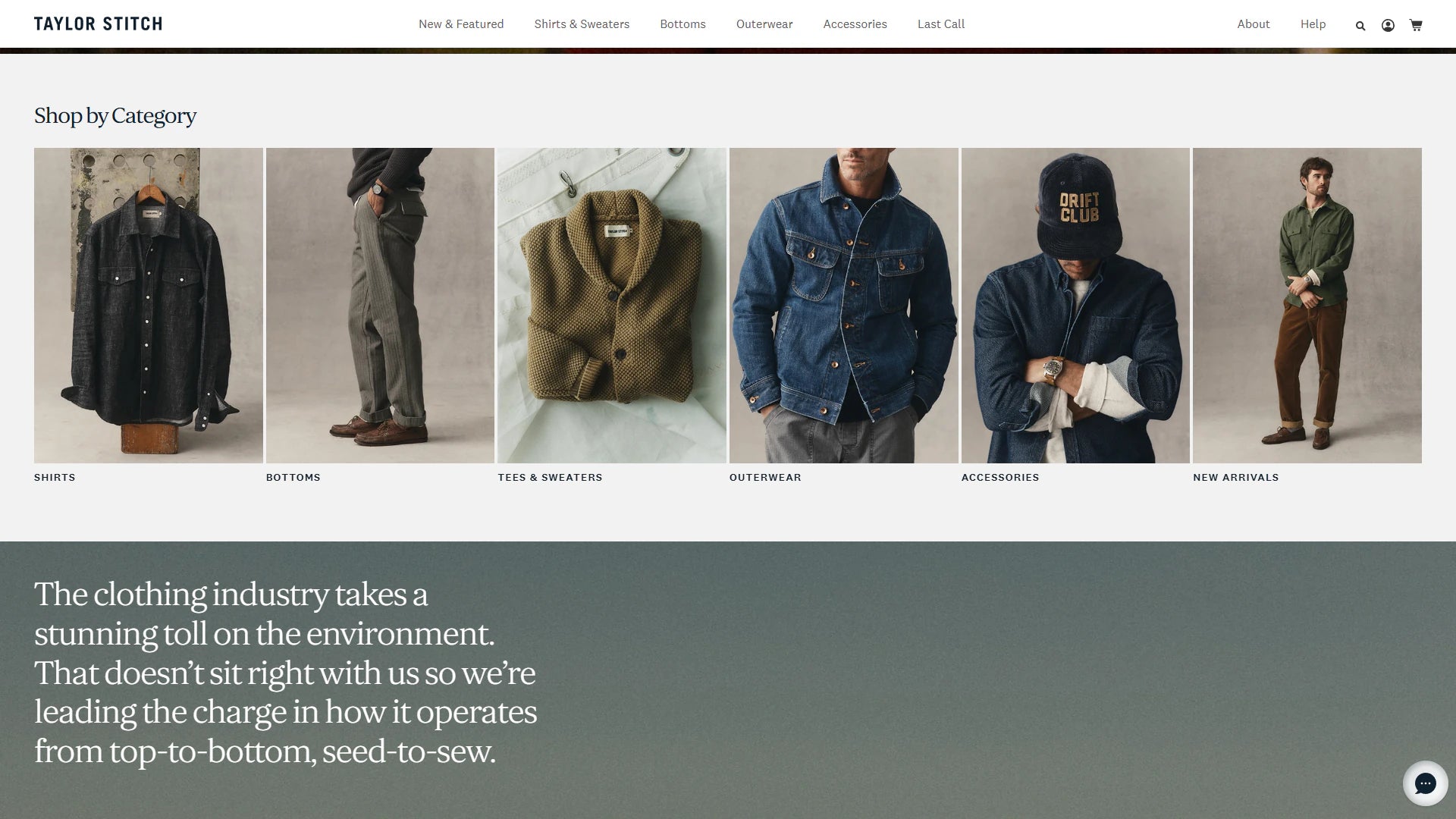
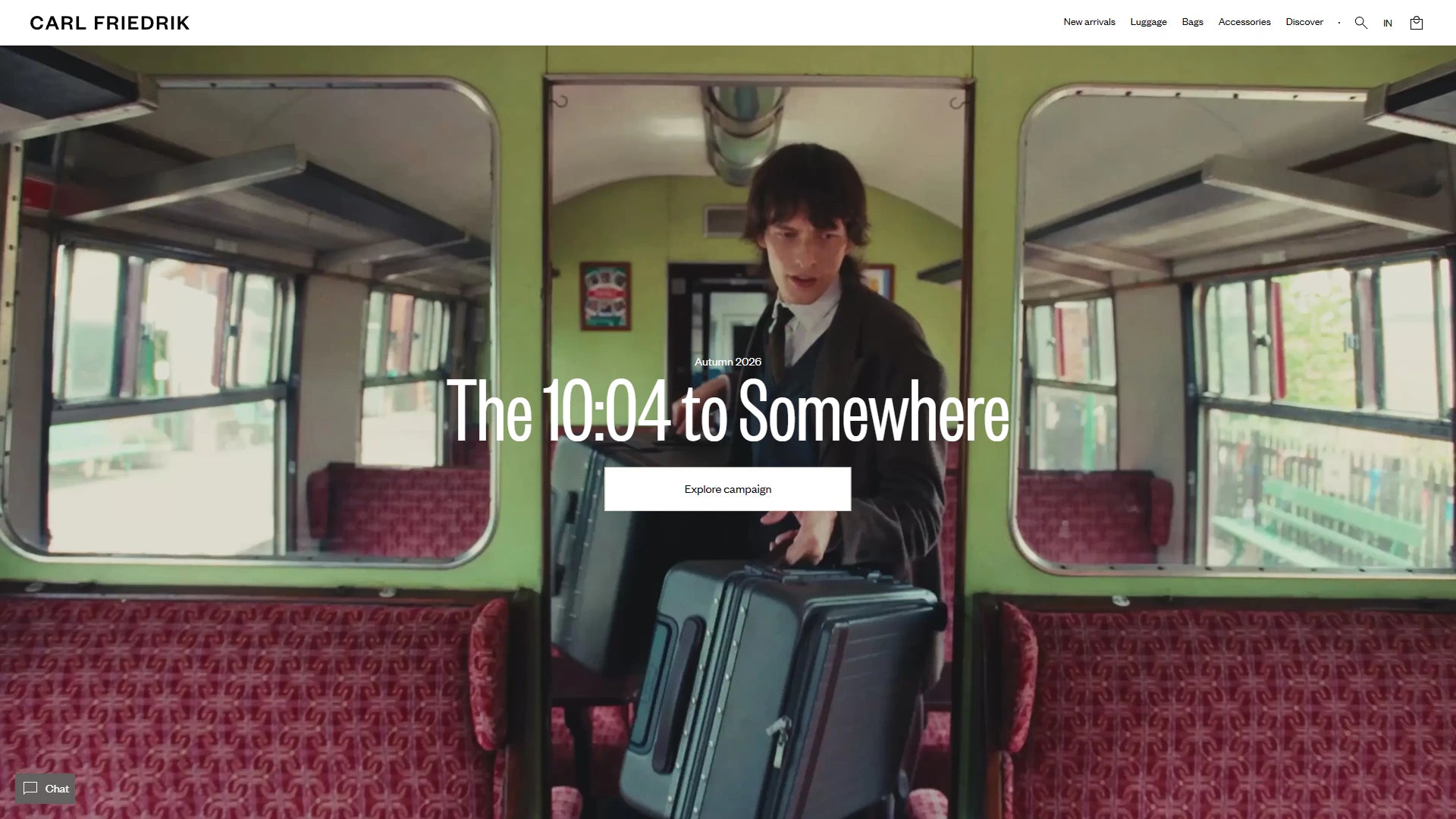
Turn your brand design into a responsive Shopify theme built around your products. Get reusable sections, intuitive editing controls and a tested storefront that your merchandising team can maintain.
A distinctive storefront. A theme your team can run.
Custom Shopify theme development turns your brand design and catalog requirements into reusable storefront components. Product stories, collection layouts and campaign pages share a consistent visual system, with editing controls for the people who maintain them.
Start with the customer journeys and content that a standard theme cannot support cleanly. We define the templates, section settings and app dependencies before development, so the finished store works with real products and everyday merchandising.
What belongs in the theme brief
Product discovery: menus, collection layouts, search and filtering that reflect how customers browse your range.
Product storytelling: image galleries, option selection, specifications and content blocks that adapt to different product types.
Merchant control: reusable sections, sensible defaults and clear settings for campaign content and routine store updates.
A Shopify theme is both a customer-facing experience and a publishing system. The build needs to support product discovery, clear buying decisions and the day-to-day work of your team. We turn those requirements into a template specification, then review the result with real content rather than relying only on polished design mockups.
Who this service is for
Brands whose product range, approved design or merchandising workflows need more flexibility than their current theme provides. Suitable for a new storefront or a planned rebuild with clear design and operational requirements.
Start with the constraint that matters
Share design files, brand guidelines, representative products and the pages needed at launch. Include your app list, campaign requirements and the content your merchandising team expects to update without developer help.
A custom build should solve specific requirements. If an existing theme already supports the right structure, targeted customization may be a better starting point. We review that decision before recommending a rebuild.
Custom Shopify theme development or theme customization?
The right approach depends on your catalog, customer journey and everyday publishing needs. Start with the gaps in your current storefront before committing to a complete theme build.
Improve an existing theme
Shopify theme customization fits a store whose existing templates already support most of the buying journey. Targeted changes can improve product information, section layouts, navigation and mobile interactions while keeping familiar editing controls.
Check the theme’s settings, app compatibility and update requirements first. A small design change should not create a large maintenance burden.
A custom Shopify theme makes sense when standard templates cannot express your products or brand clearly. Plan reusable components for product storytelling, collection merchandising and landing pages, with settings your team can use consistently.
The scope should define which templates are bespoke, which patterns are shared and where apps provide functionality. Custom development is a way to meet specific requirements, not a guarantee of higher conversions.
Map product, collection, landing and editorial layouts to a reusable component system. Define long-content behavior, missing images, unavailable variants and mobile interactions before implementation.
The specification includes responsive behavior, product states and the content controls for each agreed template.
Merchant editing controls
Build useful sections, blocks and settings for everyday publishing. Establish sensible defaults and clear labels so staff can update imagery, reorder content and reuse approved layouts without duplicating code.
Settings are grouped around real publishing tasks, with examples that show how to create a useful page without touching Liquid.
Responsive Shopify theme implementation
Translate approved designs into Liquid, JSON templates, scoped CSS and maintainable interactions. Review navigation, product selection, cart behavior and supported app integrations across the agreed screen sizes.
Implementation is reviewed with representative catalog data and supported app blocks, including empty, loading and error states where relevant.
Theme acceptance and handover
Test the storefront and the merchant editing workflow with real catalog content. Document component usage, source-code ownership, deployment steps and the maintenance responsibilities that continue after launch.
Receive the theme source, component usage notes, a release checklist and a record of any outstanding third-party dependencies.
Decisions before development
Specify the section your merchandising team will operate.
A practical planning example
A reusable product-story section may need a heading, image, product link and reorderable benefit blocks. Its design also needs to work with a missing image, a long heading and fewer blocks than the original mockup.
For a skincare catalog, the same product-story section might explain ingredients on one page and a usage routine on another. Define which text, image and link fields can change, and which spacing and typography rules stay consistent. Preview the section with short and long copy, then ask a merchant to build a second example before signing off the component.
Add a second product-story section on a different template and review both together. The test should cover an empty optional field, different image proportions and a merchant reordering the blocks. Document the intended content limits and image guidance so later campaigns can use the component without recreating the original design problems.
Illustrative scenario for scoping the work, not a reported client result.
Liquid templatesJSON templatesReusable sections and blocksTheme editor settings
What to decide
Define which settings merchants can safely change and which behavior belongs in code. Prefer reusable components over separate templates that repeat the same layout with different content.
What to verify
Have a merchant reorder blocks, replace an image and publish a preview. Check the resulting layout, heading structure and keyboard behavior across screen sizes.
What to receive at handover
Receive section settings documentation, reusable template examples and the theme source. Record any app dependencies and deployment steps, and ask your merchandising team to complete an ordinary content update using the delivered Shopify theme editor controls.
From design files to a working store
What goes into a maintainable Shopify theme?
Custom Shopify theme development connects design decisions to real product data, merchant controls and storefront behavior. Agree these details before extending a design across the store.
Figma-to-Shopify implementation
Translate approved designs into responsive Liquid templates, CSS and purposeful JavaScript. Define mobile layouts, long product names, sold-out states and interaction feedback alongside the desktop design. Representative content exposes layout problems that ideal mockups can hide.
Editable sections and templates
Use Shopify JSON templates, sections and blocks to support routine merchandising. Plan controls for images, headings, product references and approved layout choices. Your team should understand which content it can reorder or replace without changing the underlying code.
Product discovery and app compatibility
Connect collection navigation, product options and cart behavior to the way customers choose. Review the actual review, subscription, search and bundle apps in your store, including their app blocks and loading behavior. Confirm any app or plan dependencies before promising an interaction.
SEO, accessibility and performance
Include logical headings, descriptive image text, internal links and responsive images in the build brief. Review keyboard journeys, focus states and avoidable scripts with real content. Preserve valuable URLs during a rebuild and check redirects where paths change.
Prove the template. Build the system. Prepare the launch.
Prototype the most demanding template
Start with a representative product or collection that exercises the design system. Review real content, option states and app requirements before extending the approach to simpler templates.
Test shopping and publishing together
Follow navigation, product selection and cart journeys on mobile and desktop. Ask a merchant to change images, reorder blocks and create a campaign preview so the editor is tested as carefully as the storefront.
Launch with a component guide
Review redirects where needed, app behavior and release approval before deployment. Document reusable sections, theme dependencies and the steps for safely previewing future changes.
Authentic project context
Selected Shopify projects and delivery context.
These examples are selected for relevant Shopify work and visual context. They do not imply a numerical result that has not been verified.
A clear brief helps separate essential launch work from improvements that can follow. Bring your current store or design files, the products you sell and the tasks your team needs to manage.
What affects cost and timing?
The number of distinct templates, design readiness, catalog complexity and app integrations all affect the work. Content migration, additional markets and custom interactions need explicit scope. Identify who supplies copy and photography, who reviews previews and any fixed launch deadline.
Compare proposals against the same deliverables, testing responsibilities and support period. Theme licenses, paid apps and Shopify subscriptions should be distinguished from development fees.
Review representative products, collections, search, cart and contact forms on agreed devices. Check empty and unavailable states as well as the ideal purchase journey. Record release approval, outstanding dependencies and how changes will be recovered if a release needs correction.
Handover should explain templates, section settings, image requirements and app dependencies. Ask a member of your team to make a routine content update in the preview, then agree who owns maintenance and future releases.
Use the commercial structure that fits the uncertainty.
Fixed scope for defined outcomes
Development hours for evolving backlogs
Monthly retainers for continuous roadmaps
White-label delivery for agency partners
Begin with a template inventory and a representative design before choosing a fixed implementation scope. If the design or product model is still evolving, separate discovery from the build. Agree review milestones, content deadlines, app costs and the support included after release.
The best brief explains what customers need to do and what your team needs to edit. These decisions help define the build, compare proposals and avoid surprises near launch.
Bring representative content
Share your design files or brand guidelines, product range and required templates. Include long product names, missing images, sold-out variants and the campaign layouts your team uses most often.
Confirm the integration boundaries
List reviews, subscriptions, search, bundles and other apps that affect the storefront. Agree which work belongs in the theme, which needs app configuration and which requires a separate integration.
Plan ownership after launch
Confirm source-code access, section documentation and the release process. Your team should know which updates are safe in the theme editor, which require development and who handles follow-up support.
A custom build makes sense when your catalog, brand experience or publishing workflow needs a coherent set of components that an existing theme cannot provide cleanly. We compare the requirements with a smaller customization scope before recommending a full build.
Can you develop a Shopify theme from our designs?+
Yes. Approved designs are reviewed alongside real product data, responsive states and app dependencies. Missing interaction states and editing requirements are resolved before they become assumptions in the code.
Can our team edit the finished theme?+
The agreed sections, blocks and settings let your team handle routine merchandising in the Shopify theme editor. Handover distinguishes those content updates from changes to layout logic or integrations that still need development.
Will our existing Shopify apps work with the theme?+
Compatibility is reviewed app by app. We check supported app blocks, product widgets, cart interactions and any custom scripts. Required app configuration, vendor involvement and separately scoped integration work are identified before launch.
Does a custom theme include SEO and performance work?+
The build can include semantic templates, descriptive headings, responsive images and a review of unnecessary scripts. Existing URLs and search-sensitive pages should be part of launch planning. Rankings and performance also depend on content, apps and real usage, so no automatic improvement is promised.
How much does custom Shopify theme development cost?+
Pricing depends on the template count, design readiness, interaction complexity, apps and content responsibilities. Share representative designs and requirements so the estimate can identify deliverables, assumptions and optional work instead of relying on a generic package.
How long does a custom theme project take?+
The schedule follows discovery, approved designs, development, content population and acceptance testing. We agree milestones after reviewing the scope, including time for your feedback, app dependencies and launch preparation.
What do we receive after launch?+
You receive the delivered theme source, section and template guidance, release notes and the agreed support arrangements. Third-party licenses and ongoing app costs are identified separately. Future enhancements can be handled as a defined project or maintenance backlog.
Your project, led by Vivek
Your next chapter starts with a better store.
Tell us where you want to take your Shopify business. Vivek will review your goals and discuss a practical way forward.
Work directly with VivekOne point of contact, from your first message through delivery.
Focus on what your store needsA new build, a better customer experience or systems that work together.
Know the scope before you commitAgree the priorities, deliverables and cost before work begins.
Paid projects, development hours and ongoing support. Scope and cost are agreed before work starts. Explore working options.